How to Add Static IP Addresses to App Platform Apps
Validated on 22 Apr 2024 • Last edited on 6 Feb 2026
App Platform is a fully managed Platform-as-a-Service (PaaS) that deploys applications from Git repositories or container images. It automatically builds, deploys, and scales components while handling all underlying infrastructure.
App Platform supports two types of static IP addresses: dedicated egress IPs and static ingress IPs.
Dedicated Egress IPs
Dedicated egress IPs are static IP addresses used for outbound traffic from an app. Each IP is provisioned exclusively for a single app and is not shared with other App Platform users. These IPs are typically used to allowlist your app’s outbound traffic on external services, such as firewalls or third-party APIs.
Dedicated egress IPs can’t be used for inbound traffic and can’t be mapped to DNS records.
Dedicated egress IPs are a paid feature. The IP addresses persist through redeployments but are removed if you disable the feature or destroy the app.
Omitting egress.type: DEDICATED_IP from your app spec immediately disables the feature and permanently releases your IP addresses. Once released, these specific IPs cannot be recovered.
Ensure all automated app spec deployments (via doctl or GitHub Actions) consistently include the dedicated egress setting to preserve your IPs.
Limitations
Dedicated egress IPs have the following limitations:
-
Dedicated egress IPs are an app-level feature. When you assign them to an app, all egress (outgoing) traffic from the app’s components uses the assigned IPs, except for functions. Egress traffic from functions cannot use dedicated egress IPs and their own addresses can change at any time.
-
You cannot forward logs from dedicated egress IPs. Log forwarding uses its own routing to send logs.
-
We do not offer dedicated egress IPv6 addresses.
Add Dedicated Egress IPs
After deployment, you can add dedicated egress IPs in the control panel or by updating the app spec.
To add dedicated egress IPs in the control panel, go to the Apps page, click your app, then click the Networking tab.
Under Public Network, click Dedicated Egress IPs, then click Add dedicated egress IPs. This assigns two IP addresses to your app and triggers a redeployment.
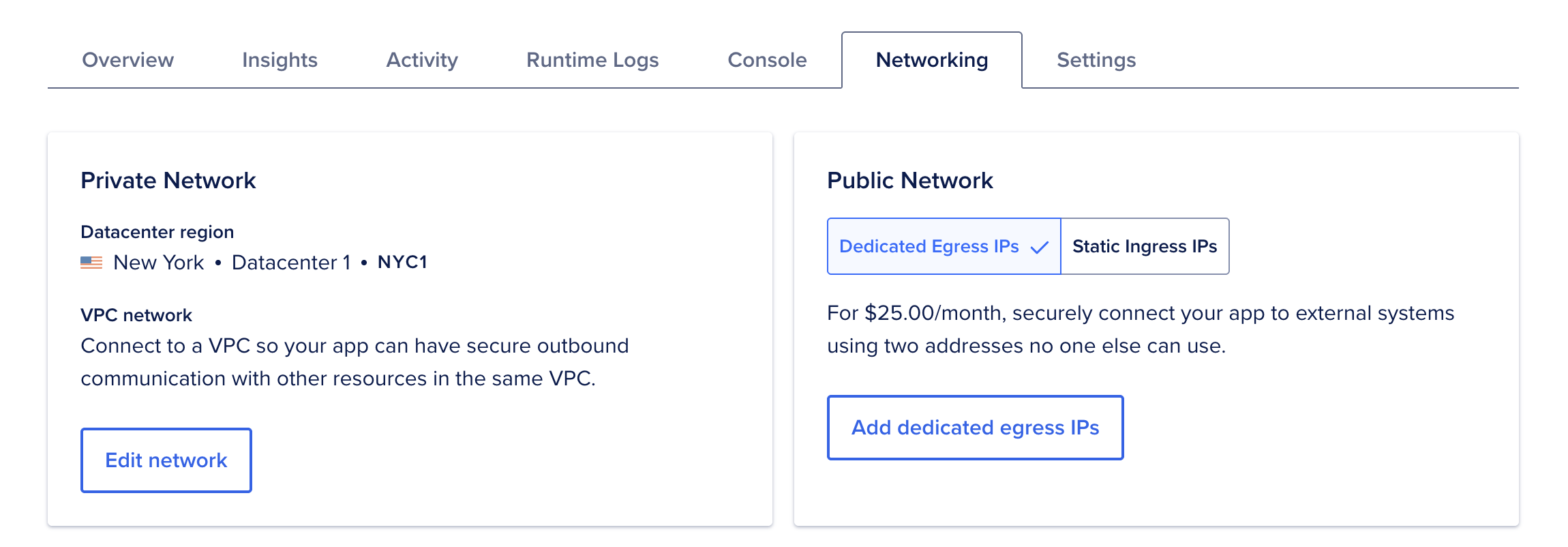
To remove the dedicated egress IPs, click Release dedicated egress IPs. This removes the IP addresses from the app and triggers a redeployment. Once released, the same IPs can’t be re-added to the app.
Static Ingress IPs
Static ingress IPs are public, static IP addresses used for inbound traffic to your app. You reference these IPs in DNS records for your app’s domains. These IPs are shared across App Platform apps and are available free of charge.
App Platform provides the following ingress IP addresses:
162.159.140.98(DNS A record)172.66.0.96(DNS A record)2606:4700:7::60(DNS AAAA record)2a06:98c1:58::60(DNS AAAA record)
To use these addresses, add a domain to your app and create DNS A and AAAA records with your domain’s DNS provider that point to them. If DigitalOcean manages your domain, see our documentation on managing DNS records.
After you add the domain and update its DNS records, App Platform routes traffic received at these addresses to your app automatically. No additional network configuration is required.